Deep specs live in the manuals
Pinouts, ports, power budgets and integration lists are maintained at support.cyanview.com, always current.
Pair it with
See it in context: Concerts and festivals · Extreme and action sports · College sports · Corporate and conferences
Two licences, one hardware
RIO LAN controls up to two cameras on the local network only — no internet leaves the building: lens control, Wi-Fi, USB and polecam rigs that stay on-site. RIO WAN is the remote tier: unlimited cameras reaching home over 4G/5G through the cloud. On RCP and RIO WAN, that cloud control is included and free.
When the link drops
Cellular links fail in crowds and canyons. The RIO holds camera control locally until the link returns, so a dropped connection never becomes a runaway exposure.
REMI in one paragraph
Set up the camera on the RIO exactly as you would locally. Type the same tag on the RIO and on the importing panel under Shared Camera Control, and the camera appears on the panel as an imported, numbered channel. Scaling out is the same move repeated: a RIO per venue, one tag, one gallery.
Built for rigs that move
Gimbals, Steadicams, athlete cams and drones will not stay wired. The RIO powers from the rig battery through D-Tap, speaks to mirrorless bodies over USB-C, and disappears into the setup.
Standalone + remote interface
Put remote camera control next to the camera
Control that travels with the camera.
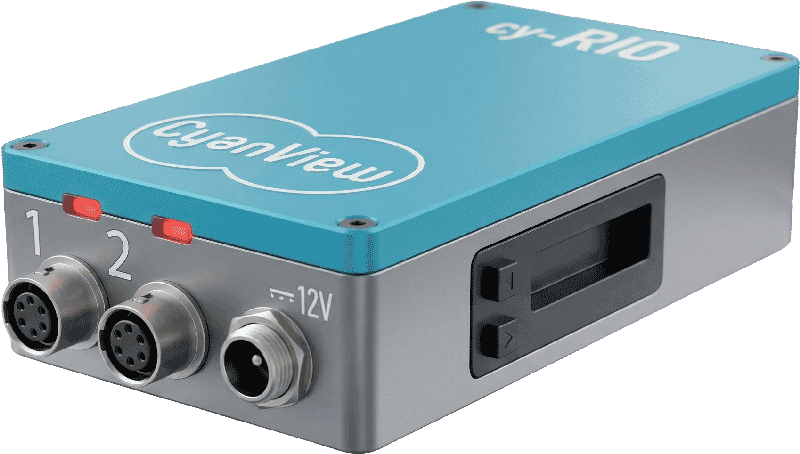
The RIO sits next to the camera and controls it over USB-C, Wi-Fi or serial. Then it carries that control wherever you are: across the venue LAN or through the REMI (remote production) cloud over 4G/5G, back to the panel at home.