RCP & RCP-J
Universal Camera Shading Remote Over IP
One panel to shade a mixed camera fleet over your network. Broadcast, cinema, PTZ and specialty cameras appear side by side on the same screen, with the same controls.
For vision engineers who already own an RCP, and for the operator buying their first one.
What the panel gives you
128
Cameras, at the top licence
10+1
Assignable buttons
4
Assignable encoders
1
Cable for power and control
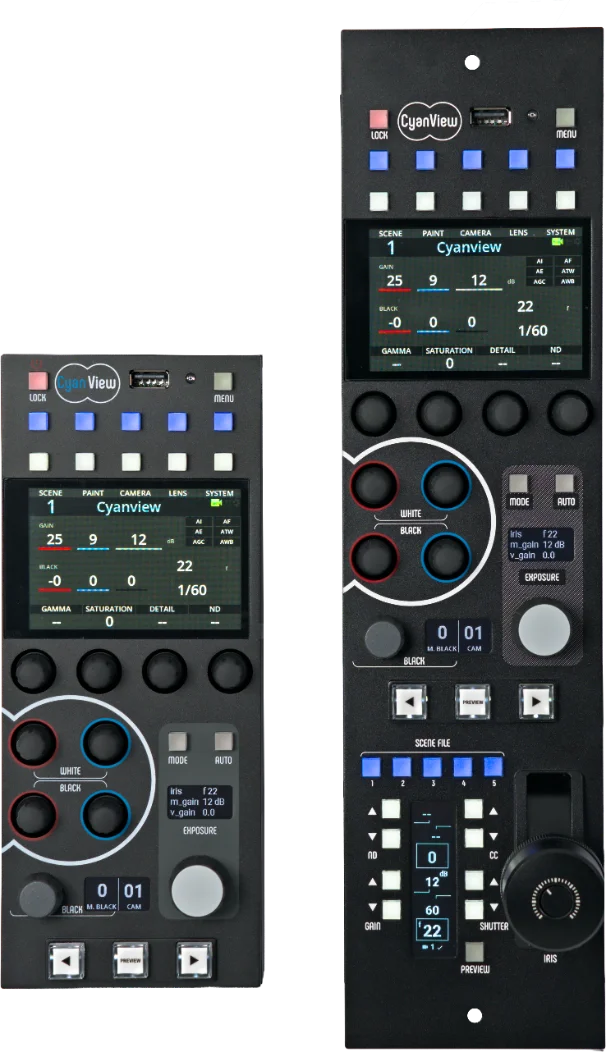
Two panels, one control surface
The compact panel came first. The RCP was the first controller built to shade mini cameras, and it is still the one that goes into tight spaces: multi-camera rigs, specialty positions, productions where panel footprint costs more than anything else. An optional frame, top or bottom aligned, brings it to rack width when it has to sit flush.
The RCP-J carries everything the compact panel does, and adds the iris joystick module: a lever with its own screen showing Iris, Black, ND, CC, Shutter and Gain, five scene-file buttons above it and a black-level ring below. It is built to standard rack width from the start, for OB vans and control rooms.
The joystick is not fixed to iris. Assign it to ND for cameras with variable filters, to shutter, or to variable gain. Lock it to one camera and it stays there whatever the rest of the panel selects, or leave it following the multicam selection.
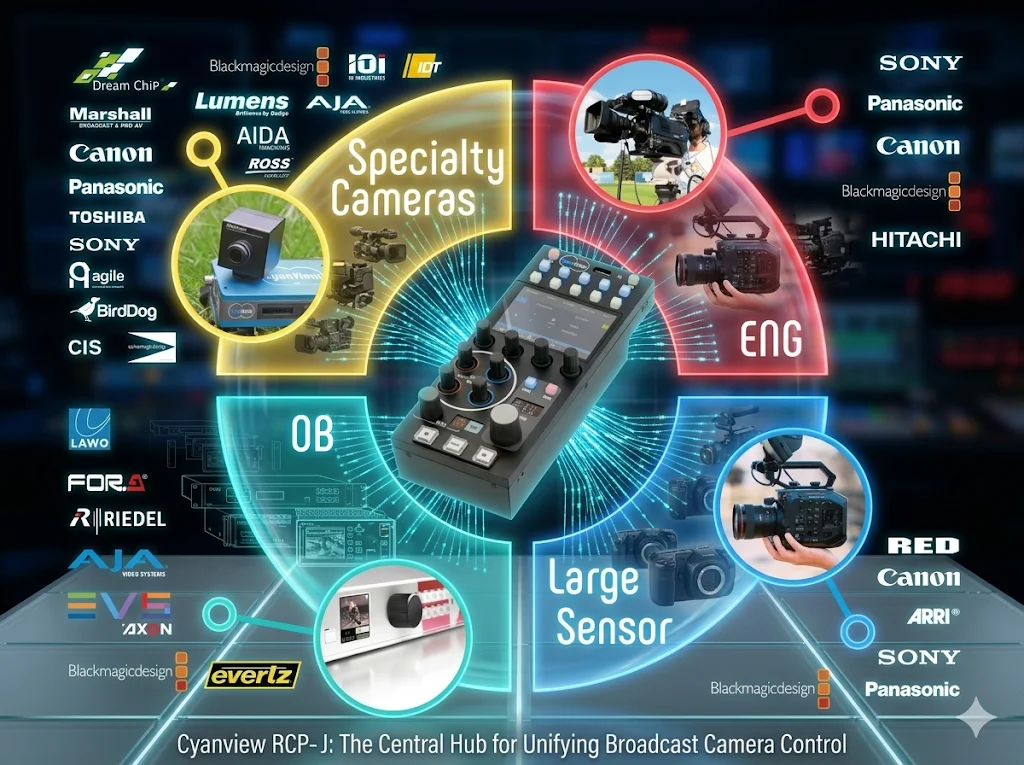
What connects directly, and what needs an interface
The RCP speaks IP. A camera that exposes an Ethernet control port talks to the panel with nothing in between.
| Direct over IP | Sony, Canon, Panasonic, Blackmagic, ARRI, BirdDog, JVC, Z CAM and Bolin IP protocols |
|---|---|
| Through a CI0 or RIO | Serial cameras: LANC, RS232, RS422, RS485, VISCA, Sony 8-pin. Blackmagic SDI control through a CI0BM. |
| Through a RIO only | USB bodies such as the Sony Alpha and Canon R5. The CI0 has no USB port. |
A CI0 is the local, wired answer. A RIO keeps the camera and its lens motors under control even when the link back to the panel drops, which is what you want over WiFi, cellular or any WAN.
IP protocols the panel speaks without an interface
These cameras join the workflow on an Ethernet cable alone.
- Sony — CGI, SDK, CNS-Bridge, s700 PTZ, Venice IP
- Canon — XC protocol, cinema and CR-N / CR-X PTZ
- Panasonic — PTZ range, camcorders, P2HD, studio cameras
- Blackmagic — REST API
- ARRI — CAP and SSCP
- BirdDog and Marshall — VISCA over IP
- JVC, Z CAM, Bolin — native IP
- Lenses, heads and processors on the same network
Selecting the right camera model in the configuration is what sets the protocol and the control range, so a mixed fleet is a matter of configuration rather than of extra hardware. Sony, Panasonic, Bradley, Dreamchip and Proton cameras run side by side on the same panel today.
The supported list moves with firmware. The current one lives in the integration notes, camera by camera.
Supported functions
Cyanview's RCP carries much of what a broadcast CCU remote does.
- White balance, manual, AWB and ATW modes
- Black balance and ABB
- Master black and black gamma
- Iris, gain, ND filters
- Shutter and clear scan
- Auto iris and auto focus
- Saturation, matrix, multi-matrix
- Knee and white clip
- Detail, coring, skin detail
- Denoise
- Tally display and GPIO input
- Full camera OSD menu access and navigation
- Touchscreen pan and tilt, or gimbal control
- Auto and manual focus, zoom where the camera exposes it
- Camera switching and touch down
- Scene files per camera, or saved for all at once
- Custom functions per camera model
- Status: IP addresses, connection state, remote link
Every one of these controls exists on the panel. What arrives at the camera depends on what its protocol exposes.
Canon XC, Panasonic studio and PTZ, and Sony CNS-Bridge carry the full paint set. Blackmagic REST has no matrix, knee or detail today, and Sony SDK and Venice IP give colour temperature and tint rather than R and B gains.
The RCP shows each camera only the controls its protocol actually supports, so the panel never offers a knob that will not move.
On the panel
The layout follows broadcast conventions, so an experienced shader has nothing to unlearn.
Colour touchscreen
A MENU button beside it and two customisable white shortcuts above, for the two pages you open most.
Ten assignable buttons
Plus a LOCK and power button. Assign them to cameras, scenes or functions and they stay where you put them.
Four assignable encoders
Master gamma, gamma, ND presets or variable, saturation, colour temperature, detail, tint — four at a time, your choice.
One exposure knob
Turn it for Iris, Gain or Shutter. MODE cycles which of the three it drives, AUTO hands that one back to the camera.
Iris joystick, on the RCP-J
Its own screen, five scene-file buttons, a black-level ring, relative or absolute mode, and camera lock.
Scene files
Save a look per camera or across the whole fleet at once, and export one as a reference preset for another panel.
Licences
Permanent, and tied to the panel's serial number. A panel on its own navigates the camera's OSD and menus; camera control and shading start at DUO.
Upgrades need no hardware change: send us the serial number and the count you need, and the new licence activates the next time the panel goes online. A licence stays with its unit and cannot be moved to another.
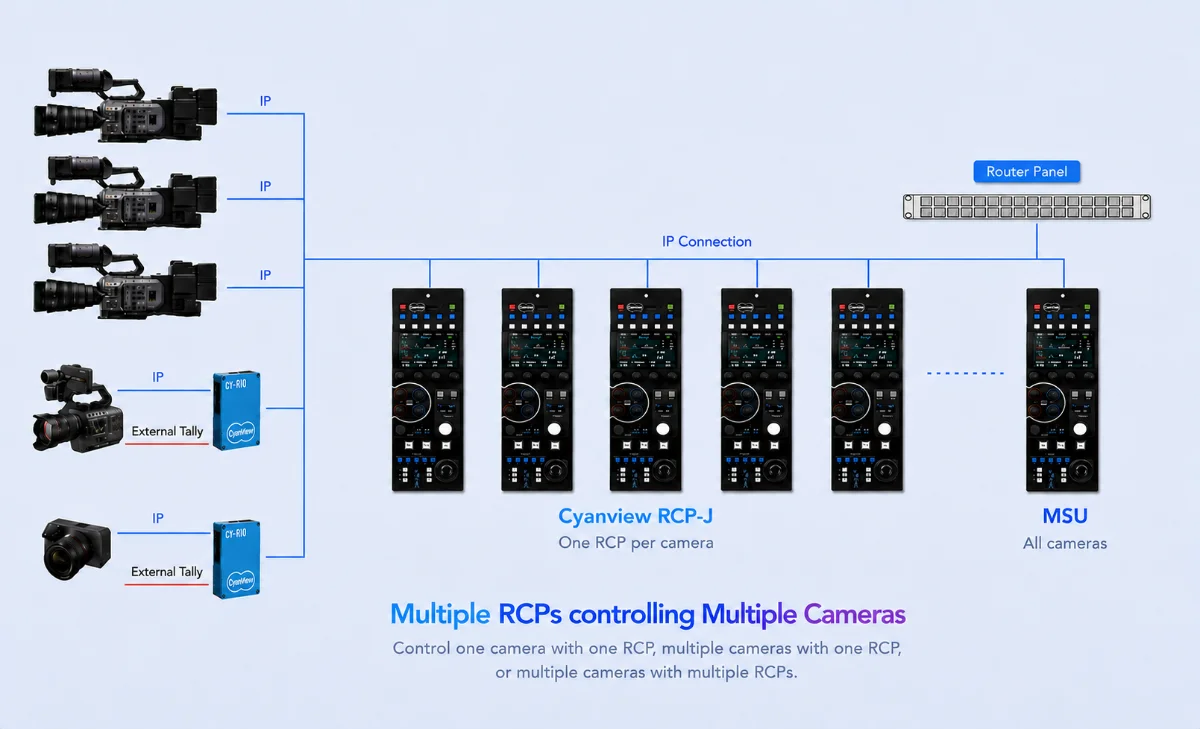
Adaptive workflow
Multicam over an IP network. Every production is configured differently. OB and high-end multicam usually run one RCP per camera; a smaller show runs one panel across the whole fleet. The same hardware covers both.
Move a camera from a dedicated panel to a master panel in a few seconds. The camera belongs to one RCP at a time, and the handover is a configuration change, not a rewire.
When a second panel needs the same camera, configure it once and import it over REMI, the remote integration model, rather than adding it twice. Router and switcher integration then keeps selection in step both ways: pick a camera on the router panel and the RCP follows, and the reverse.
Connectivity
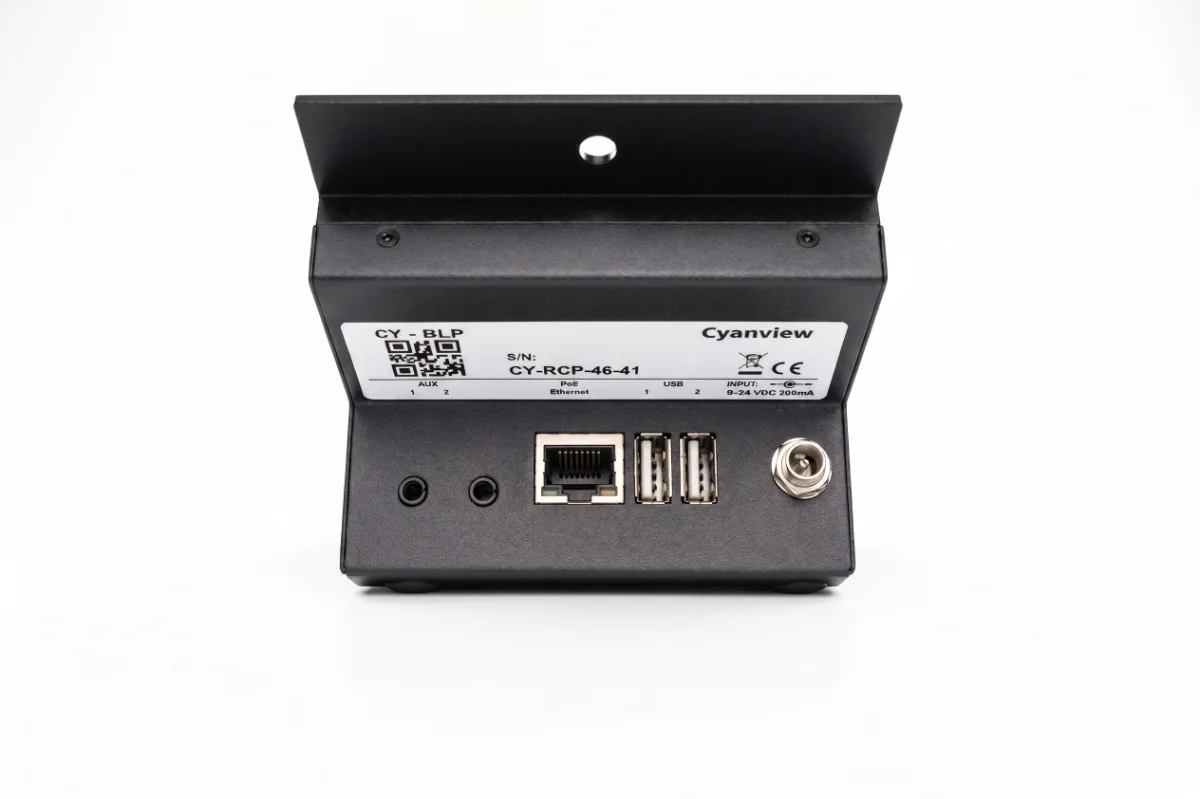
| Power | PoE 802.3af, or 9 to 24V DC on a locking socket, 200 mA at 12V |
|---|---|
| Network | Fast Ethernet, 10/100. A gigabit-only switch or media converter that cannot negotiate 100 Mbps will not link up. |
| Video | None. The RCP is a control panel with no SDI in or out; monitoring runs on its own path. |
| GPIO | An 8-channel dongle on the rear jack, out to a DB9. Chain two for 16. Each channel is set as input or output from the web interface, for tally in and touch down out. |
| GPIO over IP | A NIO carries the same 16 channels over Ethernet, WiFi or 4G, and the panel finds it the same way |
Over USB, on the rear ports
- A USB to RS485 converter, to drive serial cameras straight from the panel
- Elgato Stream Deck, Mini, Medium or XL, for camera status, selection and scene recall
- A USB pan, tilt and zoom joystick for PTZ cameras
- A Contour Shuttle for replay and trigger workflows
- USB-C tethering for bodies such as the Canon R5
- A WiFi adapter, for access-point mode or to reach a wireless camera
- An Ethernet adapter for an extra network port
- A cellular modem for 4G and 5G. On a permanent installation we would rather see a 4G or 5G router with an Ethernet output.
Configure the whole workflow from a browser
Camera protocols, interfaces, external lenses, pan and tilt, video processors, IP settings — the workflow is composed in the web interface in a few minutes.
Every camera in the workflow appears with its connection status, so the whole configuration and its properties are visible at a glance. The panel addresses up to 128 cameras, and the largest deployments we support run around 80 from a single RCP.
Cloud access on the panel itself is included at no extra cost. Reaching a camera at another site over the internet needs a RIO +WAN as the gateway on the far end.
RCP or RCP-J: which panel
Same screen, same encoders, same licences. The difference is the form factor and whether you want a lever under your hand.
RCP
Everything runs from the touchscreen, the four encoders and the exposure knob. Short of rack width on its own, with an optional frame that brings it flush when it has to sit in a rack.
Ask for a quote- The smaller footprint per operating position
- Fits a flight case and a flypack
- Works well one panel per camera
- Optional rack frame, top or bottom aligned
RCP-J
Rack width from the start, with the iris joystick module and its own screen. Assign the lever to iris, ND, shutter or variable gain, and lock it to one camera while the rest of the panel switches around.
Ask for a quote- Iris, Black, ND, CC, Shutter and Gain on the lever screen
- Five scene-file recall buttons
- Black-level ring and preview on the joystick button
- Camera lock, relative and absolute modes
The lever is built for exposure. For zoom and focus, a dedicated accessory such as a Blackmagic zoom handle plugs into the panel, or into a RIO at the camera when the panel is somewhere else.
Frequently asked questions
The questions that come up before a first panel is ordered.
Two with the DUO licence, four with QUATTRO, eight with OCTO, and up to 128 with MSU. A panel on its own ships with its Embedded Operating firmware, which navigates the camera's OSD and menus; control and shading start at DUO. Licences are permanent and tied to the unit's serial number.
Not for IP cameras. Sony, Canon, Panasonic, Blackmagic, ARRI, BirdDog, JVC, Z CAM and Bolin IP protocols reach the panel over Ethernet with nothing in between. Serial cameras, meaning LANC, RS232, RS422, RS485, VISCA and Sony 8-pin, need a CI0 or a RIO. USB bodies need a RIO, because the CI0 has no USB port.
The RCP-J adds the iris joystick module and is built to standard rack width. The compact RCP has the same touchscreen, the same four encoders and the same exposure knob, and takes an optional frame to reach rack width. Both use the same licence tiers, so the choice is form factor and whether an operator needs the lever.
A camera belongs to one RCP at a time. Once it is in one panel's configuration it is unavailable to the others. To give a second panel access, configure the camera on the first RCP and import it over REMI from the second, rather than adding it twice.
No. The RCP is a control panel with no SDI and no video path of any kind. It sends and receives camera control over Ethernet. Program, preview and shading monitors are fed from the camera, a router or the switcher, on their own cabling.
The panel's Ethernet port is 10/100, so a gigabit-only switch or media converter that cannot negotiate 100 Mbps will not link up. It is worth checking before the gear ships. Power is PoE 802.3af over that same cable, or 9 to 24V DC on the locking socket when there is no PoE, drawing 200 mA at 12V.
Yes, through REMI. The camera end needs at least one RIO +WAN as the cloud gateway, which is what removes any port forwarding or firewall work. Cloud access on the RCP itself is included at no extra cost. Expect 30 to 60 ms round trip depending on the link, which shading tolerates well.
Yes, on the same unit and with no hardware change. Send us the serial number and the camera count you need; once the order is processed the new licence activates automatically the next time the panel reaches the internet. A licence cannot be moved from one unit to another, so each panel carries its own.
Markets we serve
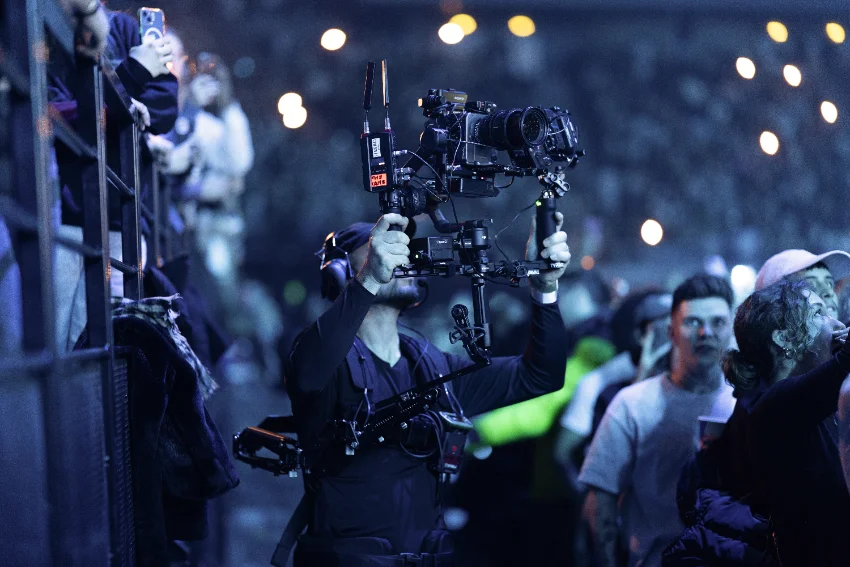
Specialty cameras
Mini and POV bodies placed where a full-size camera will not go, shaded next to the main fleet.
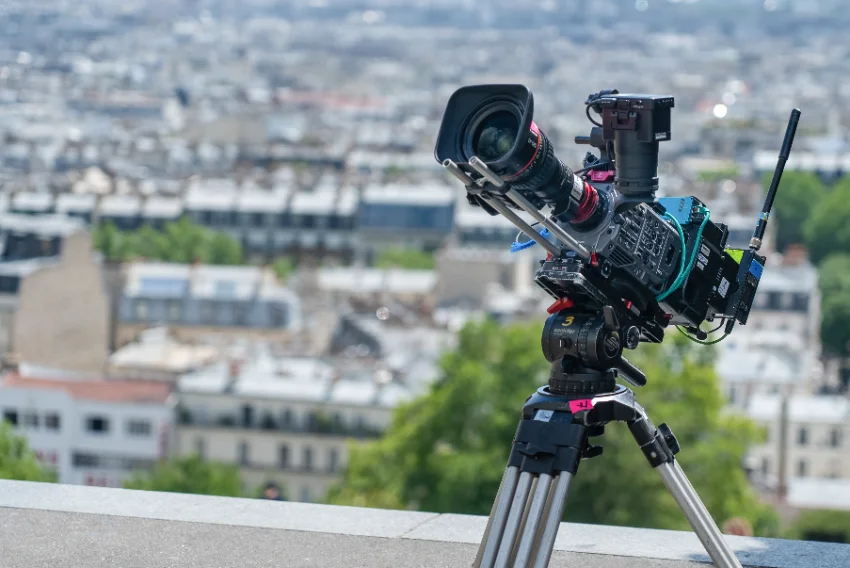
Cinematic multicam
Large-sensor bodies matched to broadcast cameras in the same show, from the same panel.
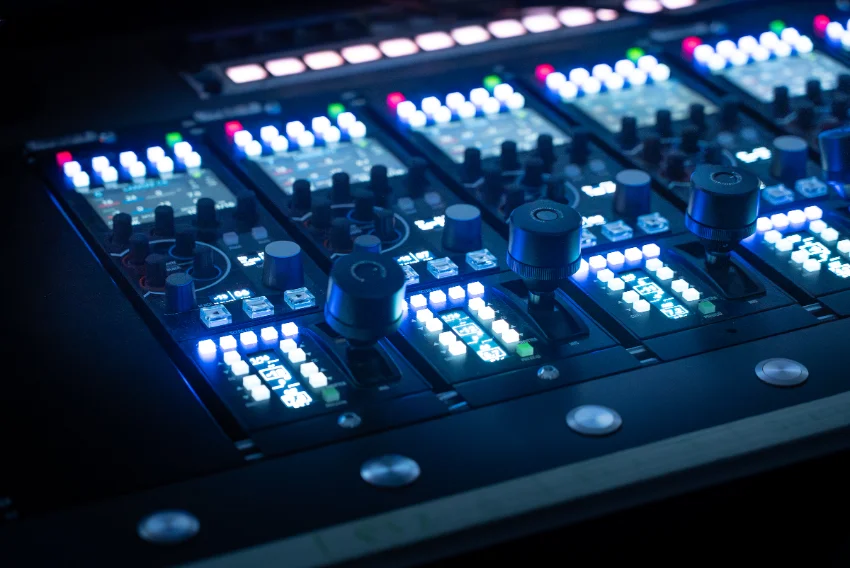
Remote production, behind a RIO
Shading from another site. Cloud access on the panel is included; the camera end takes a RIO +WAN.
Tell us which cameras you run
Send us your camera list and we will tell you what the panel controls directly, what needs a CI0 or a RIO, and which licence covers your count.