RIO: remote I/O interface
The camera-side interface for wireless, mirrorless and remote production
RIO connects most cameras, lenses and accessories to a Cyanview RCP over IP, by USB, serial or wireless, and carries that control across the internet for remote production.
What the unit exposes
2x
Serial ports
2x
USB ports
1x
Ethernet
12V
DC input
Built on the RCP architecture, on the camera side
When a camera sits on a gimbal, on a wireless link, or on the other side of the internet, a CI0 is not enough. RIO is the camera-side unit for those setups.
RIO shares its architecture with the Cyanview RCP control panel, so it drops into an existing workflow without a second control system.
RIO and RCP share one firmware roadmap: an integration added to either appears on both.
If you are in broadcast or cine-style live production and need
Six things the RIO is built to do.
Wireless control
A wireless link: WiFi, cellular or IP mesh, with control that survives a lossy connection.
USB mirrorless cameras
Two USB ports take mirrorless bodies and dongle accessories, so a mirrorless camera joins the show.
Legacy cameras and minicams
Two serial ports for legacy protocols, bringing ENG bodies and minicams onto the same panel.
Lens control
B4 ENG and box lenses, Cabrio and servo zooms, external motors and handles.
REMI remote production
A gateway across the internet, so a gallery in one city runs cameras in another. See remote production workflows.
Tally control
Tally signalling at the camera position, on cameras that never shipped with it.
Three ways teams run the RIO
Three setups where teams reach for a RIO.
Gimbal and wireless
RIO extends camera control wirelessly while keeping communication fast and reliable between the RCP and the camera. See wireless and cellular setups.
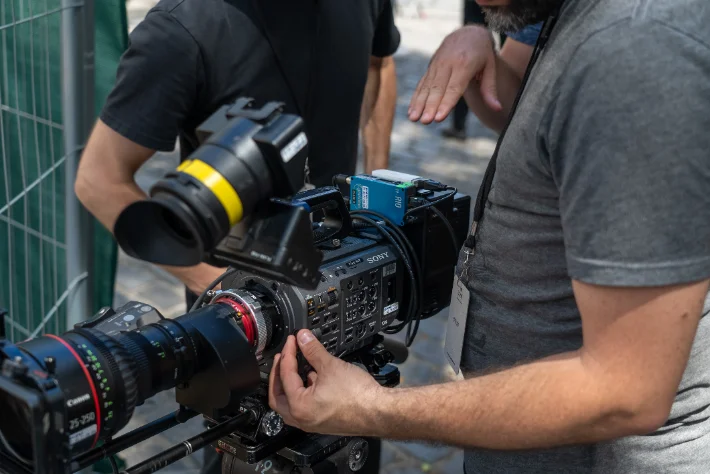
Lens control
RIO drives B4 ENG and box lenses, Cabrio and servo zooms, and external motors from the same panel.
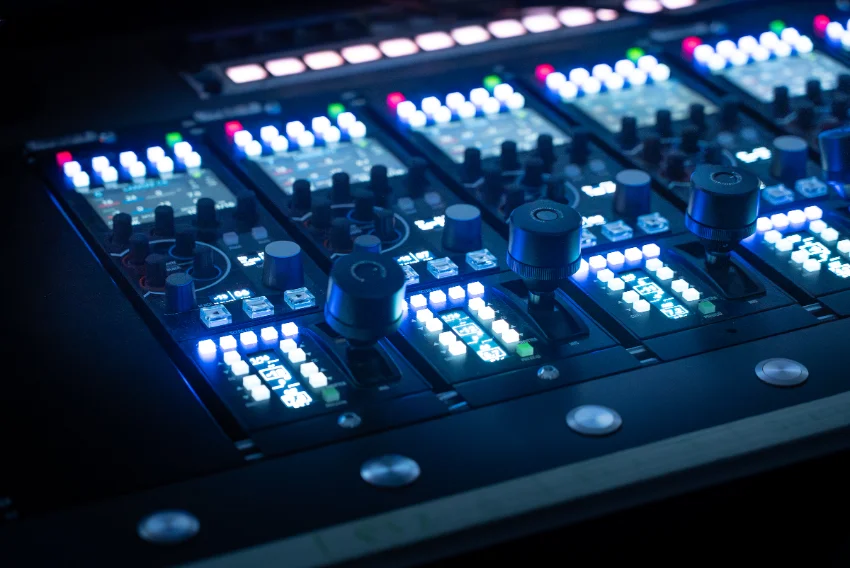
REMI gateway for remote production
RIO manages breaks in the network and keeps control delay to a minimum, so a gallery in one city can run cameras in another.
Ports and connections
What the unit exposes, and what each port is for.
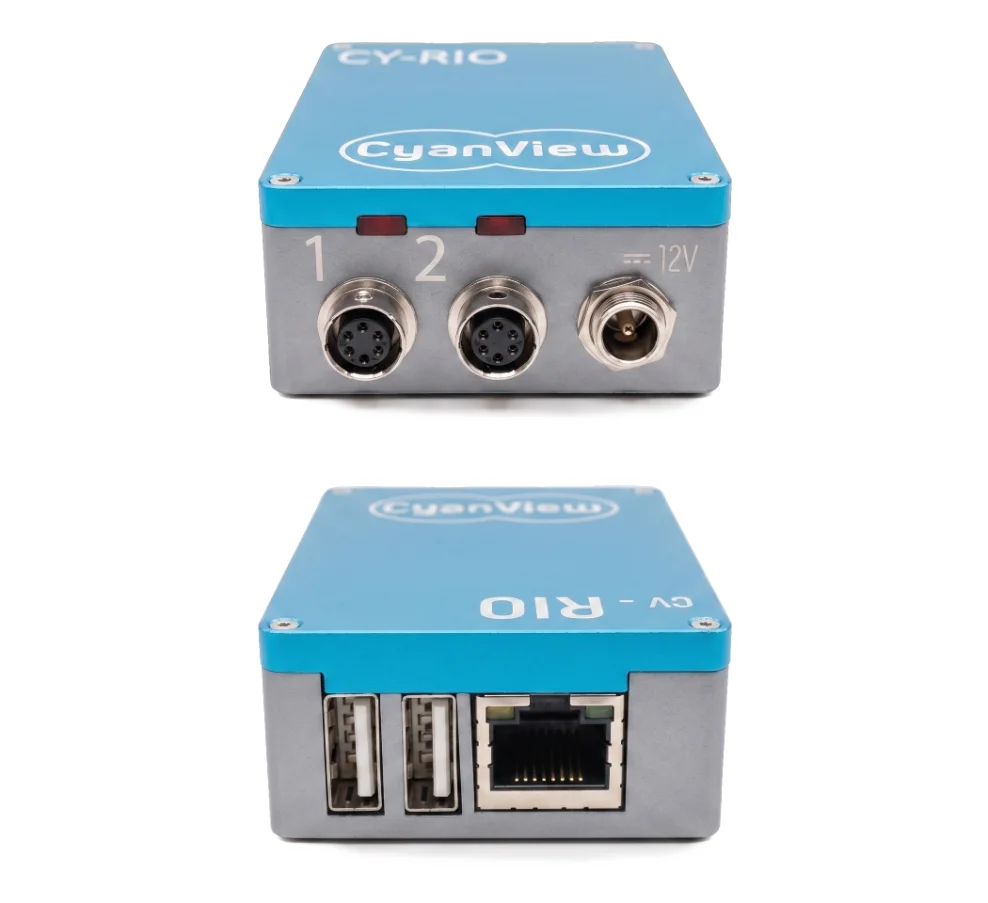
| Serial | 2x serial ports for legacy protocols such as CI0 |
|---|---|
| USB | 2x USB "Host" ports for mirrorless cameras and accessories |
| Network | Ethernet port |
| Power | 12V DC IN |
| Wireless | WiFi, cellular, IP mesh |
| Lens and motors | B4 and box lenses, Cabrio and servo zooms, external motors |
| Tally | Tally signalling at the camera position |
| Licence | RIO +LAN or RIO +WAN. See licences. |
The RIO carries the same integrations as the RCP, and the supported list moves with firmware. The current one lives in the integration notes, with cable pinouts.
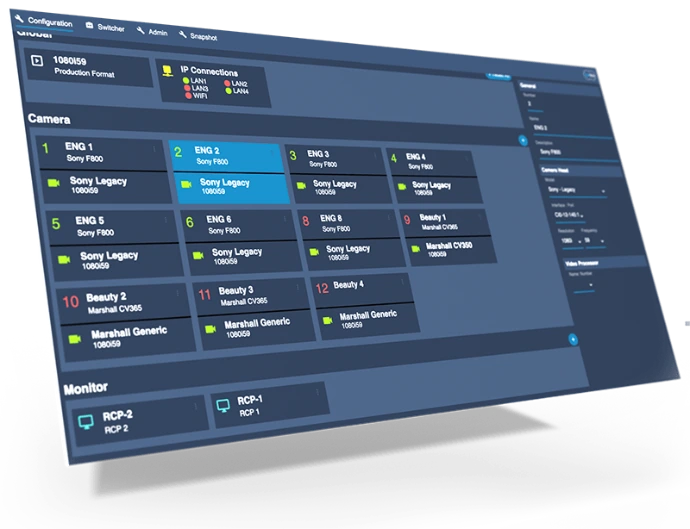
Web UI and REMI
The web UI is where you assemble your workflow: add cameras, lenses, motors and accessories in a few minutes.
Once a camera is added, import the RIO into as many RCPs as you need using its REMI tag. REMI (remote integration model) is how a camera in the field reaches a gallery anywhere else.
Every camera appears with its connection status, giving you an instant view of every configuration element and its properties.
Which licence do I need? RIO +LAN or RIO +WAN
The hardware is the same either way. The licence sets how many cameras a RIO carries, and how far its REMI access reaches.
RIO +LAN
One venue, one or two cameras, everything on the same network.
Ask for a quote- Two cameras per RIO
- Cloud access on the local network
- RCP on the same network as the RIO
- Direct connection to motorized B4 and Fujinon lenses
RIO +WAN
Cameras spread across sites, or a gallery somewhere else entirely.
Ask for a quote- Up to 128 cameras per RIO
- REMI access through the cloud
- RCP anywhere with an internet connection
- Cameras shared across several RCPs
RIO, CI0 or RCP: which unit
The RCP is the surface you shade from. The RIO and the CI0 are what sit next to the camera. Pick by how the camera connects and where it lives.
 RCP | RIO |  CI0 | Role |
|---|---|---|---|
| The control surface | Camera-side interface | Serial-to-IP interface | Where it sits |
| In the gallery or on the truck | Next to the camera | Next to the camera | Camera connections |
| Over IP, through a RIO or a CI0 | 2x serial, 2x USB | 2 multi-protocol serial ports | Power |
| PoE 802.3af or 12V DC | 12V DC IN | PoE+ 802.3af/at, up to 15W to the camera | Wireless and remote |
| Runs remote cameras through a REMI tag | WiFi, cellular, IP mesh; REMI gateway | Auto-discovery on the LAN |
Frequently asked questions
The questions that come up before a first RIO goes on a job.
The CI0 is a converter: the camera protocols run on the RCP and travel to the CI0 over the network, so control ends where the network ends. The RIO carries those protocols itself, next to the camera. It also adds USB camera control, wireless transports and the REMI gateway, where the CI0 adds PoE+ and a lower price. Take a CI0 for a short wired run inside one venue. Take a RIO for lens motors, USB bodies, wireless links, or anything crossing the internet.
Nothing moves. The RIO holds the state it was driving, so the iris stays where the shader left it and the lens motors hold position, even while the RCP shows the camera as disconnected. When the link returns, the RCP resyncs from the RIO instead of starting over. That is the difference between a unit that carries the protocols and one that only relays them.
The hardware is identical, only the licence changes. RIO +LAN carries two cameras and keeps REMI on the local network. RIO +WAN carries up to 128 and reaches REMI through the cloud, which is what a remote production needs. A +LAN can become a +WAN later without swapping the unit: the RIO picks the new licence up on its own once it is online.
No. An RCP licence (DUO, QUATTRO, OCTO, MSU) sets how many cameras a panel controls, not how it reaches them. Every RCP speaks REMI as it stands. The only licence to choose is the one on the RIO.
Yes. A REMI setup needs one RIO +WAN on site as the gateway, even when every camera there is already controlled over IP. It is the unit that holds the cameras locally and hands them to the RCPs elsewhere.
Sony Alpha and FX bodies, and the Canon R5. The FX3 and the FX30 are the ones that turn up most on gimbals. The supported list moves with firmware, so check the integration notes for the models you run. The same two USB ports also take 4G, 5G and Wi-Fi dongles, which is how a RIO gets online with no cable at all.
Yes, from the same panel as the camera. Canon Cine-Servo, Fujinon Cabrio and cmotion digital lenses connect to a serial port for iris, zoom and focus. External motors are covered too: Tilta Nucleus-M on serial or USB, ARRI cforce over CAN, and the cmotion cGate over Ethernet. This also answers the case where the camera cannot drive the lens itself, a Cabrio on an FX9 for instance.
A shared name that a RIO and an RCP both carry, so they find each other over REMI wherever they sit. Add the tag on the RIO, add the same tag on the RCP, and the RIO cameras appear in the RCP REMI menu ready to import. Several RCPs can hold the same tag and import the same camera at once. Anyone who knows a tag can reach the cameras behind it, so treat it as a password rather than a label.
Bring multi-cam control to the cameras you already run
Tell us the bodies, the lenses and the link, and we will tell you what it takes.